Product tour

See PrequalReady with a sample company

Screens from the real app, in the order you would use it. The company, its clients and documents are made up; the screens and the reminder email are real.

About 3 minutesScroll through, or jump to a step
No sign-upThis tour is open to everyone
Sample dataCoyote Ridge Field Services (sample)
1

Add a hiring client and pick its network

Every client that requires you to be qualified gets its own page. Start with the one that matters most.

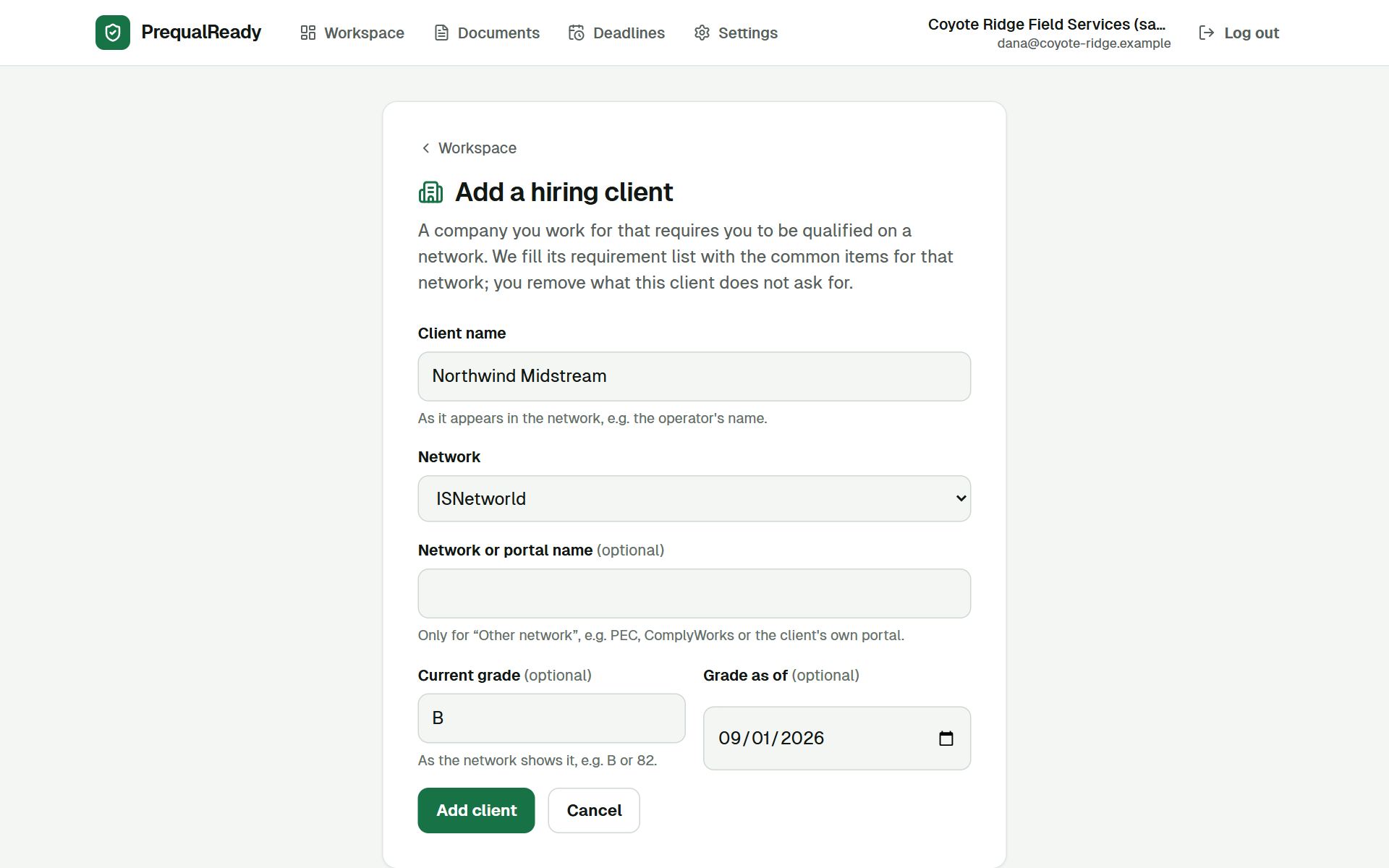
YouType the client's name, choose ISNetworld, Avetta, Veriforce or another network, and optionally the grade you see there today.
PrequalReadyCreates the client's requirement list from items common on that network. It never reads or changes anything on the network itself.
Add a hiring client · sample
The Add a hiring client form filled in: client name Northwind Midstream, network ISNetworld, current grade B as of September 1, 2026.
2

See what this client requires, and how far you are

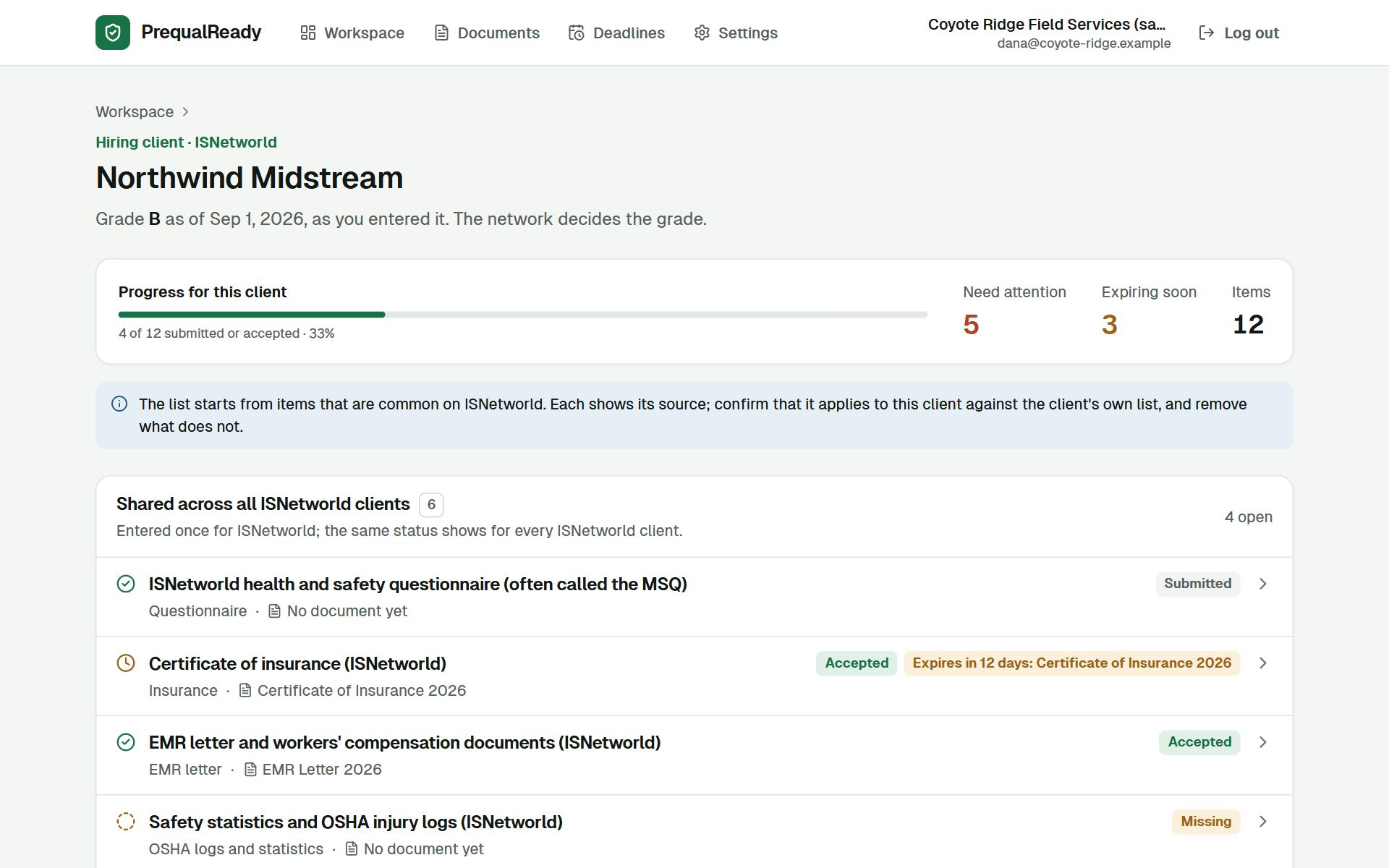
Items every client on the network shares, like the questionnaire, insurance and injury statistics, are entered once for the network. Items only this client asks for are listed separately.

YouCheck the list against your client's own requirements. Remove what it does not ask for, add what is missing, and set each status.
PrequalReadyShows the source of every item, the progress for this client, and what needs attention or expires soon. The grade stays the one you entered; the network decides it.
Hiring client · sample
Northwind Midstream's page: 4 of 12 items submitted or accepted, 5 need attention, 3 expire soon; shared ISNetworld items with statuses such as Submitted, Accepted with an insurance certificate expiring in 12 days, and Missing.
3

Upload a document once, use it for every client

A written program or certificate often covers the same item for several clients. You upload it once.

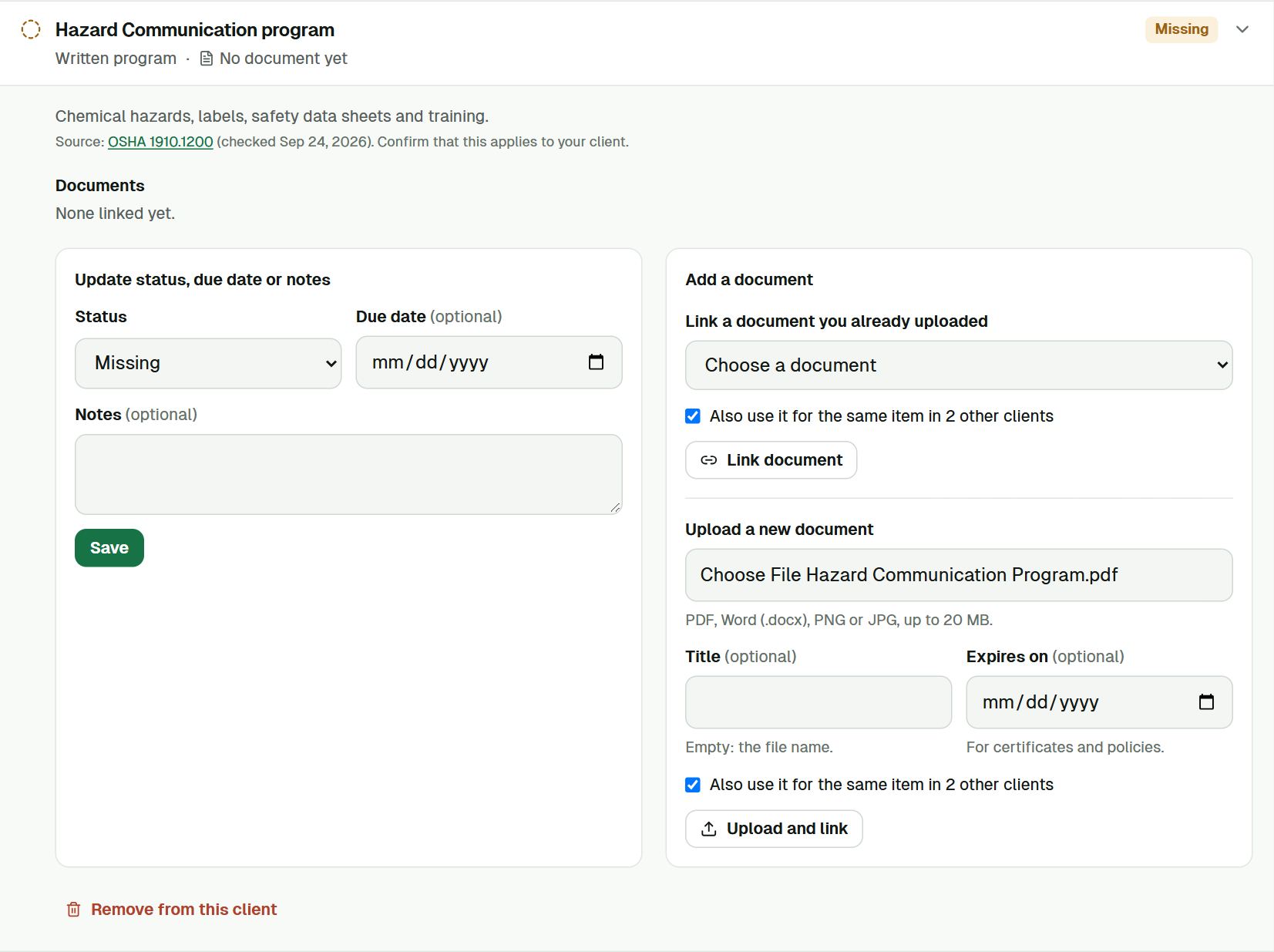
YouChoose the file, add an expiry date if it has one, and leave "Also use it for the same item in 2 other clients" ticked.
PrequalReadyStores the file privately and links it to the same requirement for all three clients. A new version later updates all of them.
A requirement, opened · sample
The Hazard Communication program requirement opened: its source is OSHA 1910.1200; a file is chosen for upload and the option Also use it for the same item in 2 other clients is ticked.
4

Keep one library instead of folders per client

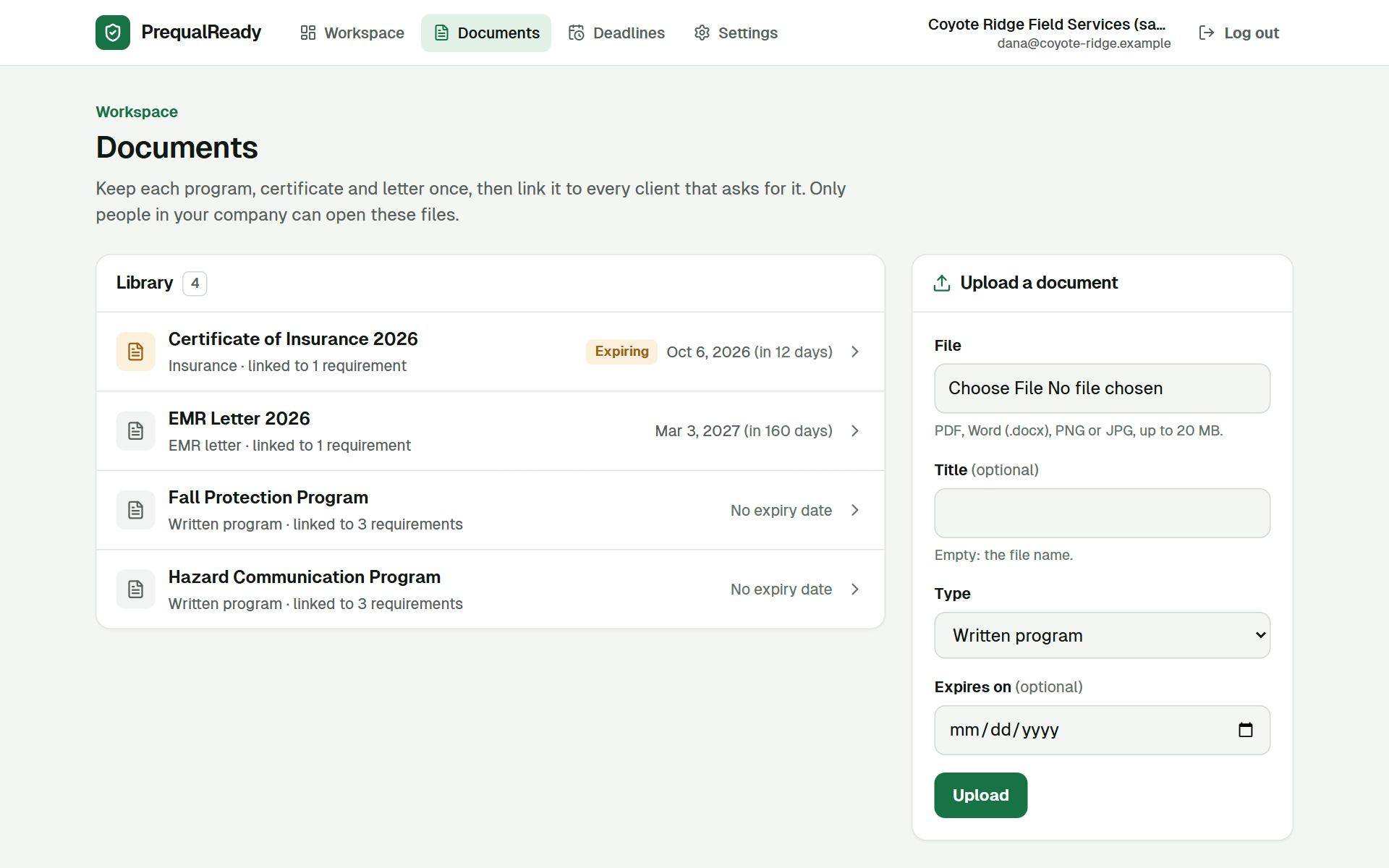
Each document appears once, with its type, its expiry date and how many requirements use it.

YouUpload new versions when a certificate is renewed or a program is revised. Download any file when a network asks for it.
PrequalReadyKeeps the older versions, flags what is expiring, and only lets people in your company open the files.
Documents · sample
The document library with four documents: Certificate of Insurance 2026 expiring October 6, 2026 in 12 days, EMR Letter 2026, and two written programs each linked to 3 requirements.
5

Know what to do next across all clients

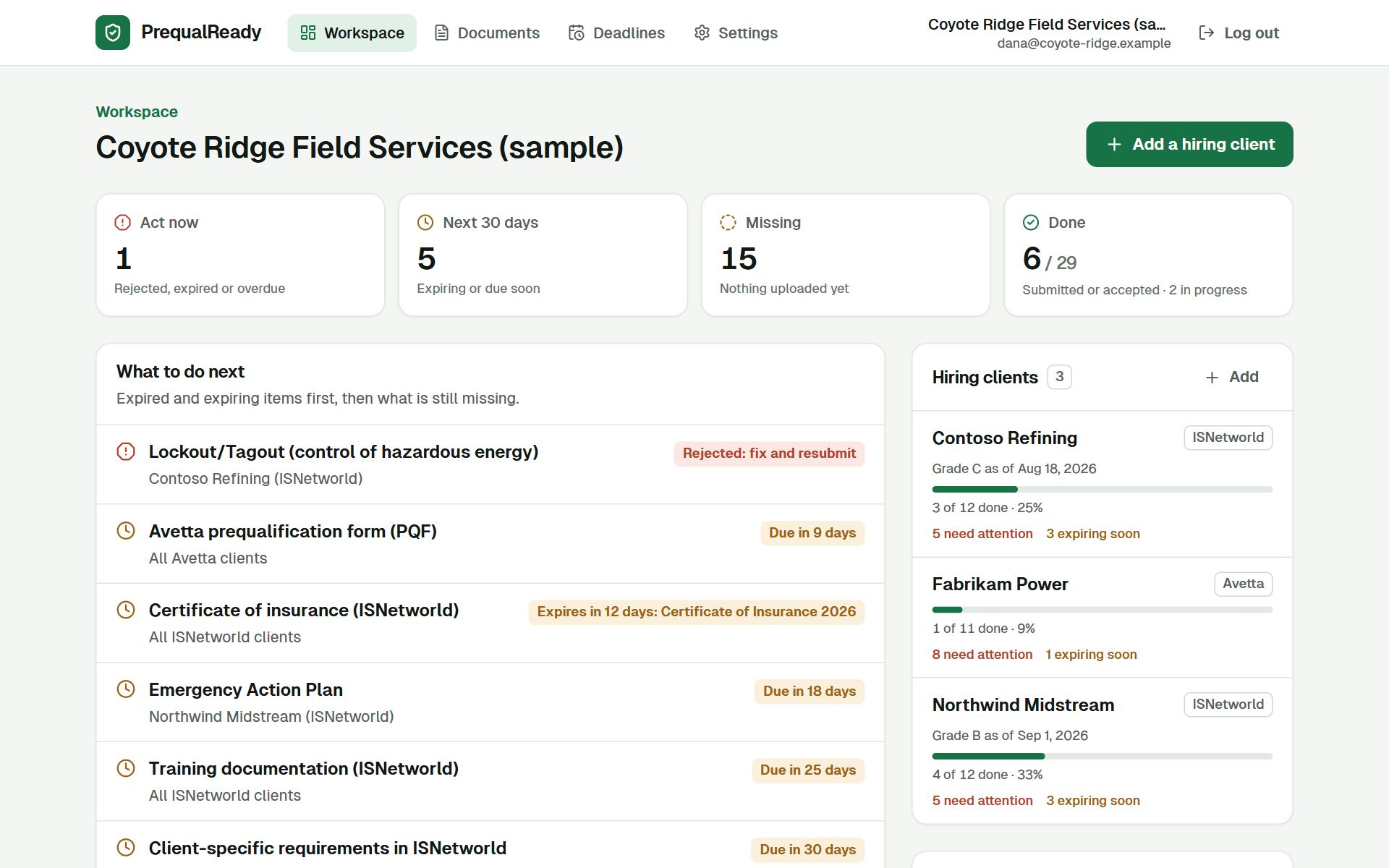
The workspace home answers "what needs us this week?" for every client at once.

YouWork from the top of the list: fix the rejected program, renew the certificate, prepare the form that is due.
PrequalReadyRanks rejected, expired or overdue items first, then what expires or is due within 30 days, then what is missing. The same item for several clients reads as one line.
Workspace · sample
The workspace home: 1 item to act on now, 5 in the next 30 days, 15 missing, 6 of 29 done; the list of what to do next starts with a rejected Lockout/Tagout program, then an Avetta form due in 9 days and an insurance certificate expiring in 12 days; three hiring clients with progress bars.
6

Every date in one list

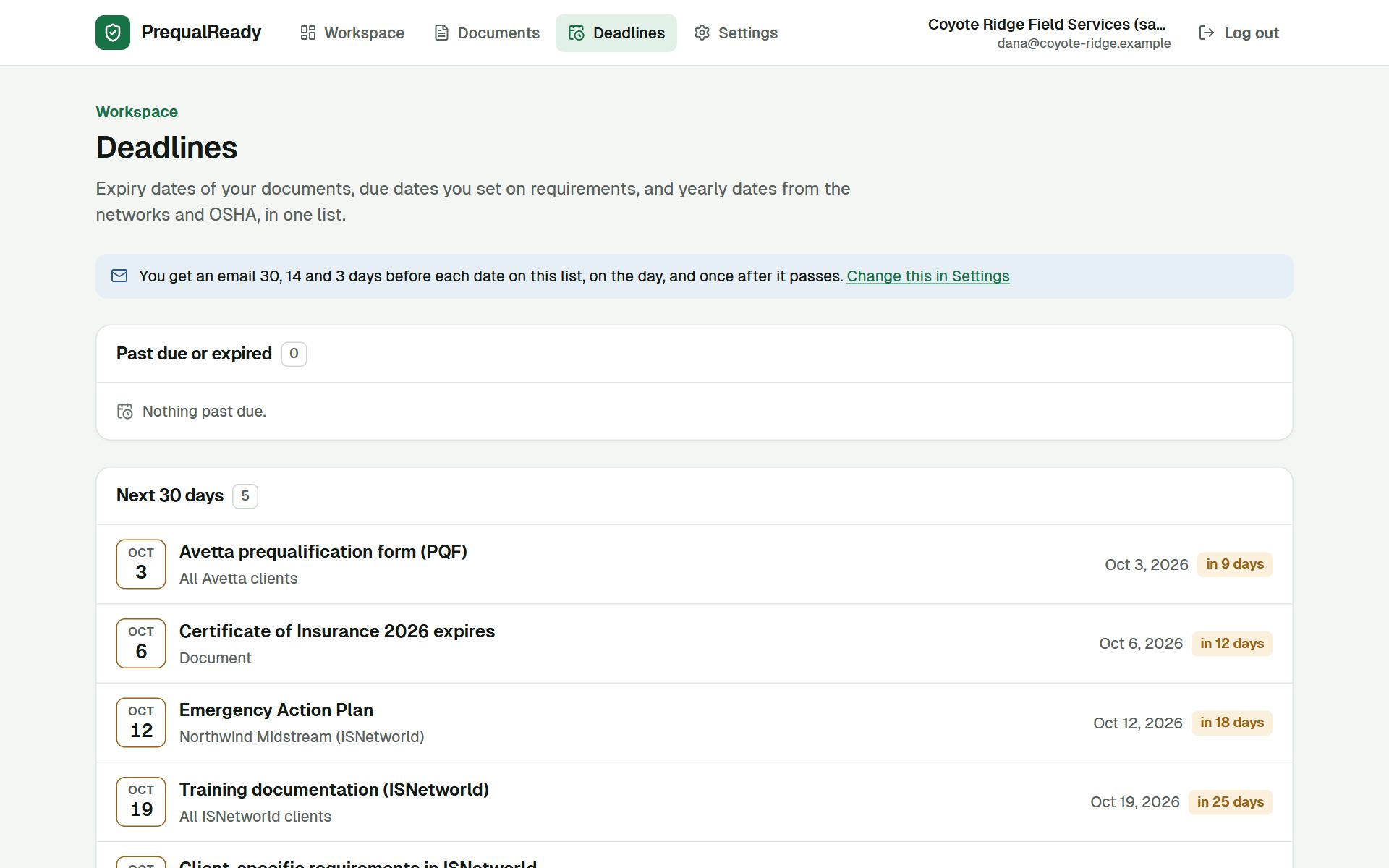
Document expiries, due dates you set, and yearly dates such as the OSHA 300A posting and the Avetta annual update, grouped as past, the next 30 days, and later.

YouAdd expiry dates to documents and due dates to requirements when you know them.
PrequalReadyKeeps the list current and marks what is overdue or coming up.
Deadlines · sample
The deadlines page: a note that an email goes out 30, 14 and 3 days before each date, on the day and once after; nothing past due; five dates in the next 30 days from October 3 to October 24, 2026.
7

Get an email before anything lapses

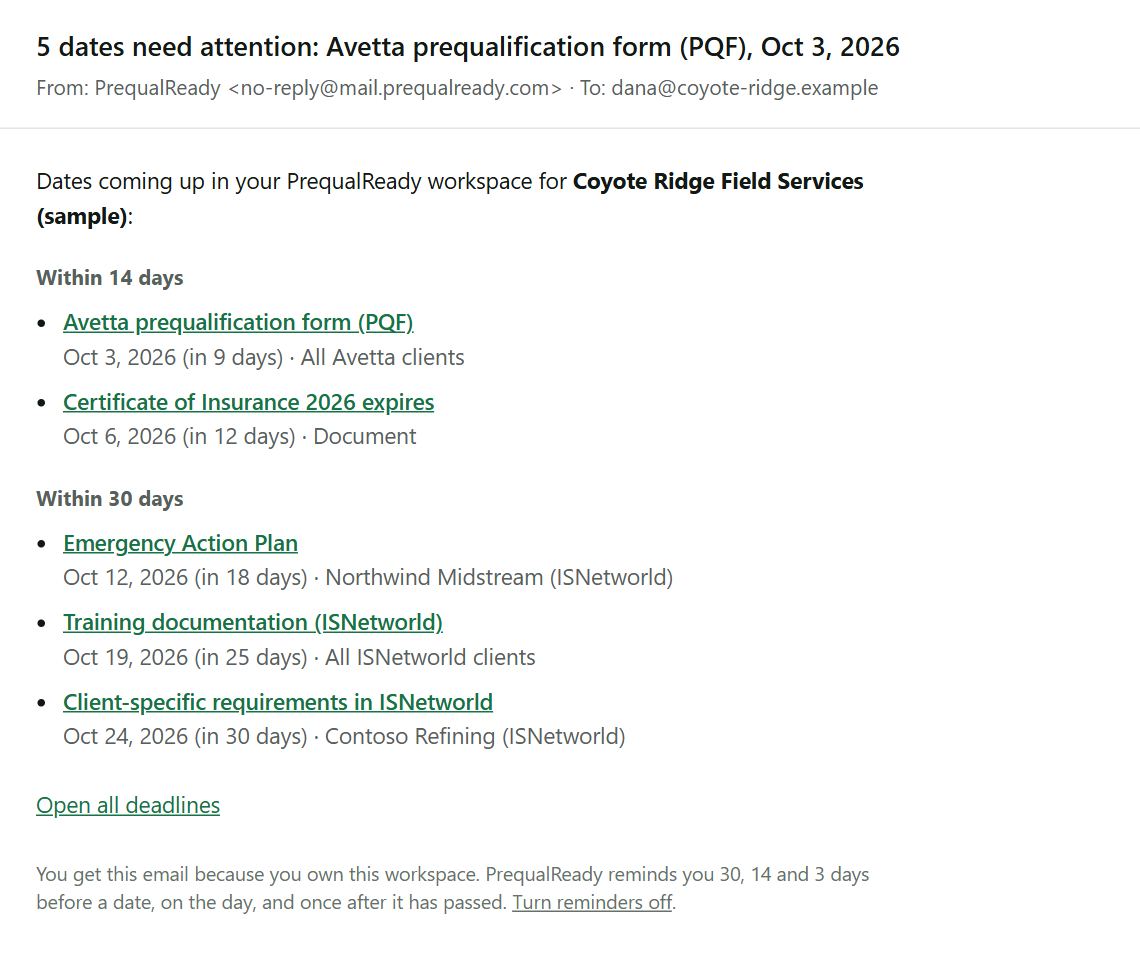
The reminder email the sample company gets on the day these screens were captured, from the app's real email template: the same five dates as the deadlines page.

YouRead one email and click through to the item. Turn reminders off in Settings if you do not want them.
PrequalReadyChecks your dates every day and emails the company owner 30, 14 and 3 days before each date, on the day, and once after. At most one email a day, and never the same reminder twice.
Reminder email · sample
A reminder email with the subject 5 dates need attention: within 14 days an Avetta form and an insurance certificate; within 30 days an emergency action plan, training documentation and client-specific requirements; each with a link, and a link to turn reminders off.
8

Check it on your phone

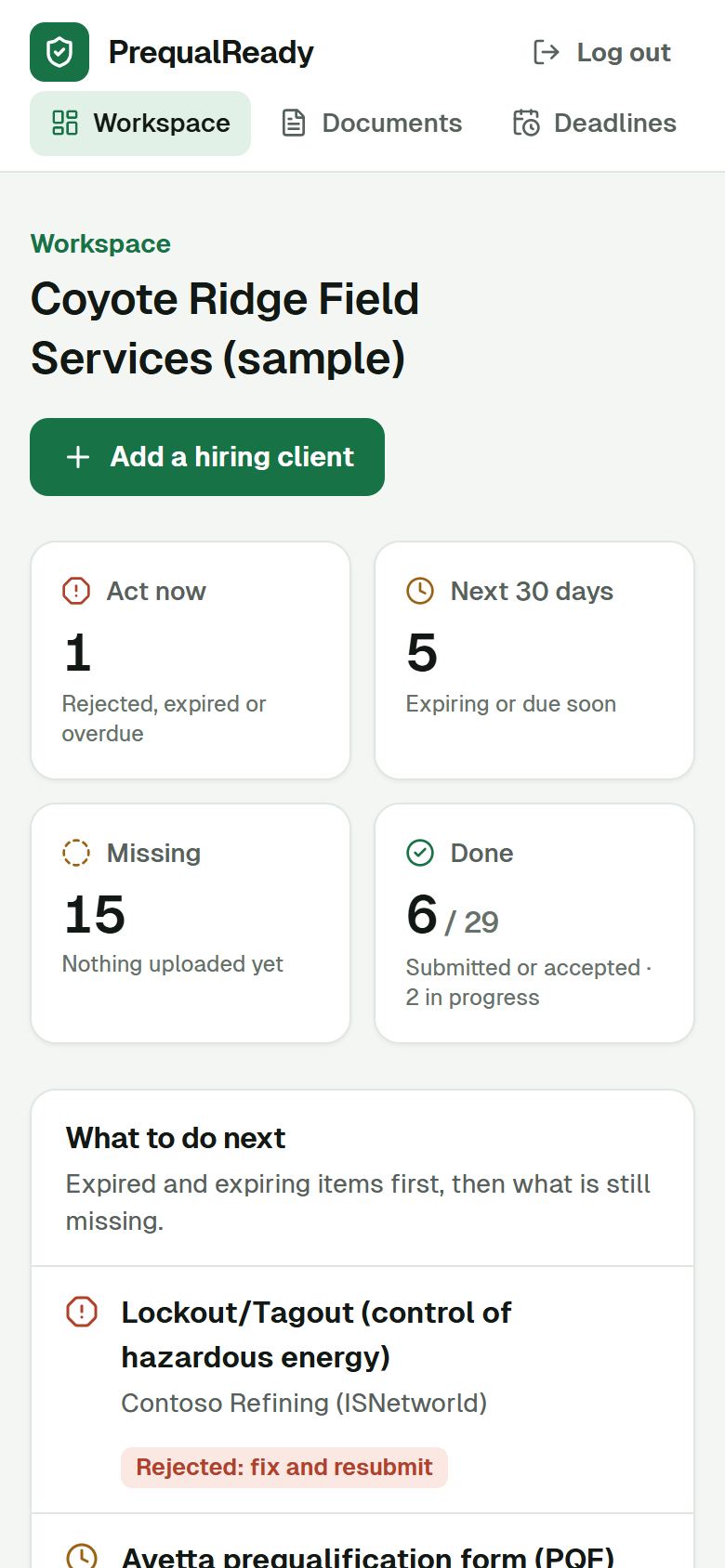
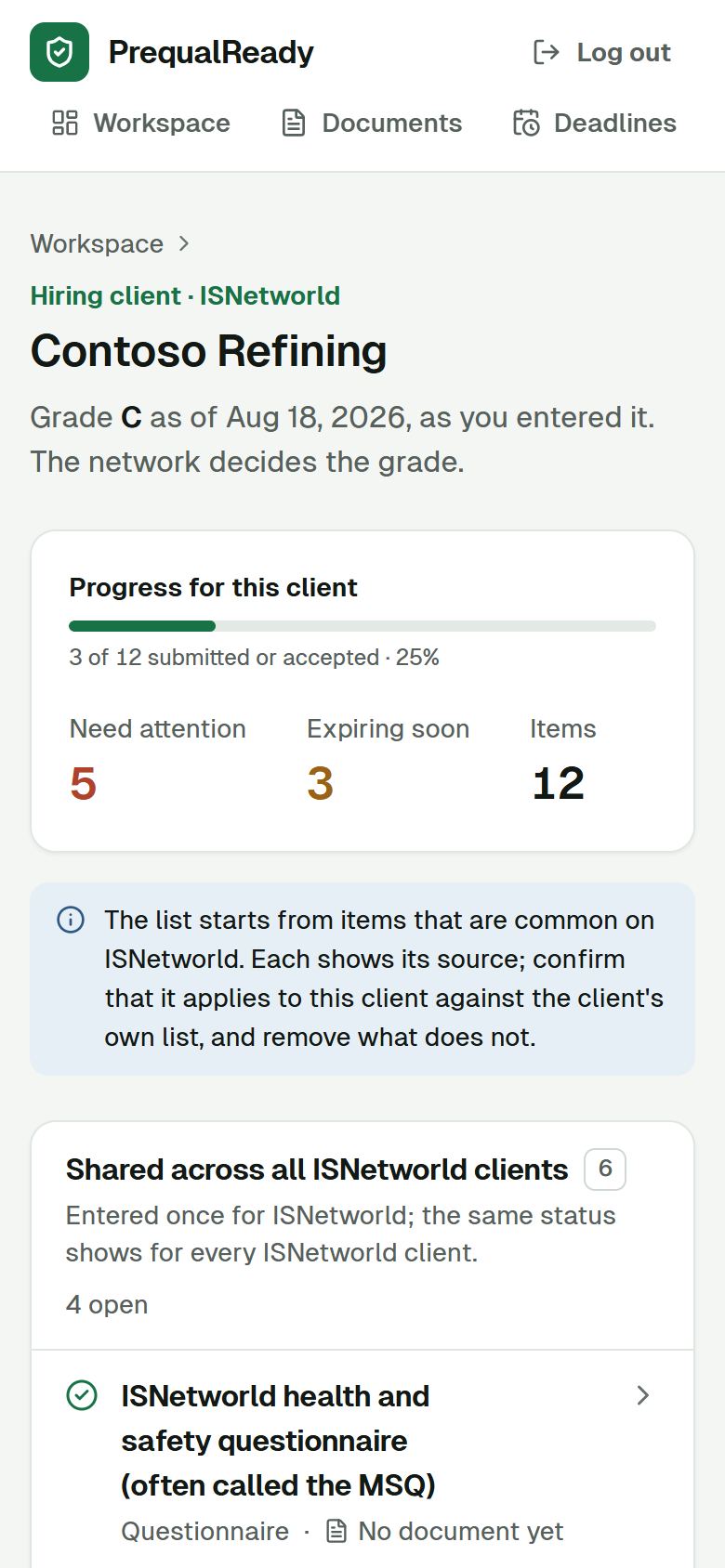
The same workspace works in a phone browser: check what is due, open a client, update a status. Uploading many files is easier on a computer.

The workspace home on a phone: summary counts and the start of the what to do next list.
A hiring client's page on a phone: progress, items that need attention, and the shared ISNetworld items.

Sample dataScreens captured from the app on September 24, 2026. Names are made up.

Try it with one of your own clients.

Create an account and add your first hiring client. Free during early access, no card.